
How to
Create a grocery list from your plan.
After planning meals, Family Plates can build one organized grocery list with ingredients combined and ready to check off.
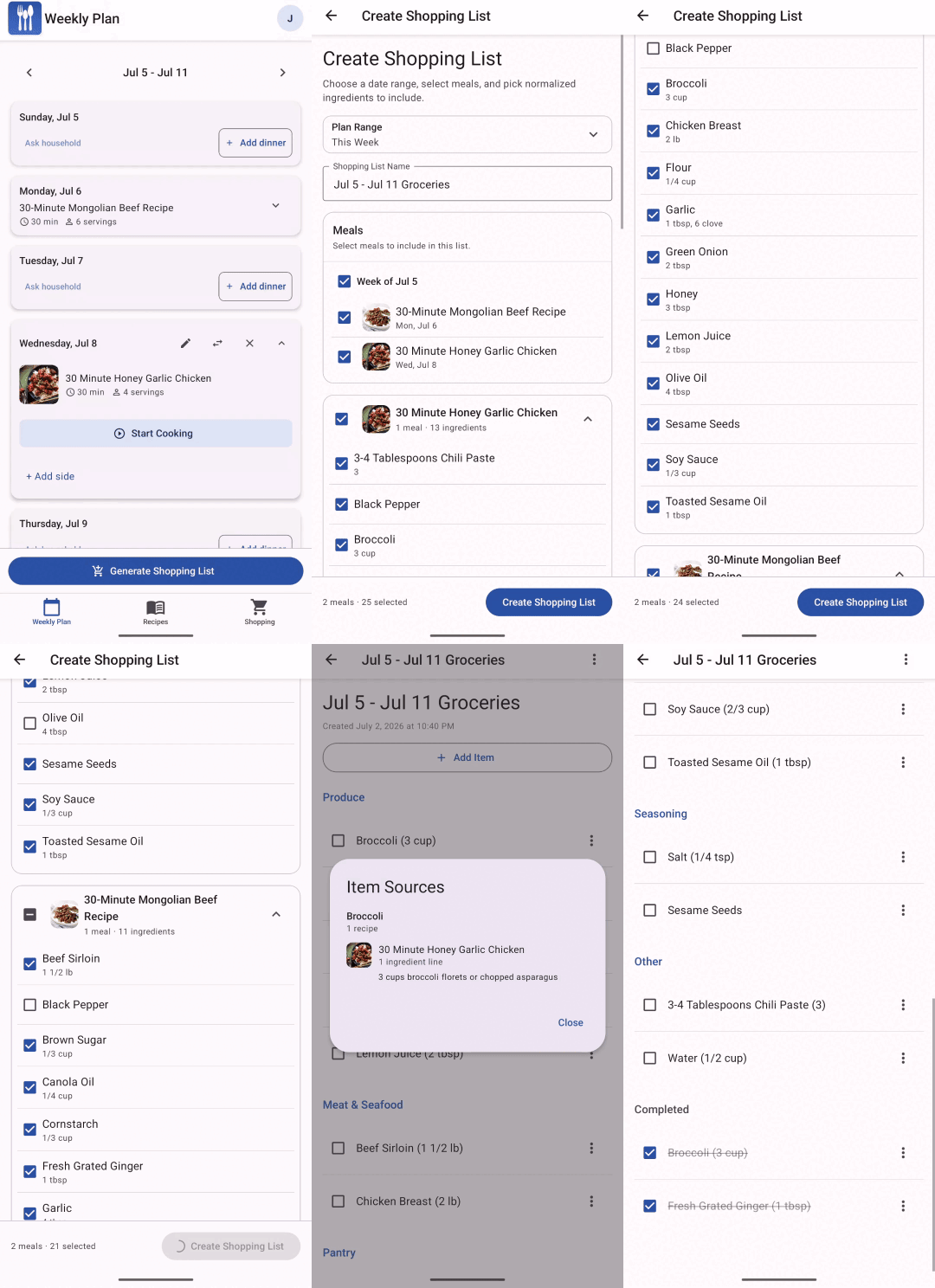
Grocery list workflow
Turn planned meals into one shopping list.
Build the list from the meals you selected, then review it before heading to the store.
-
Plan your meals
Add the recipes and custom meals you want for the week.
-
Open shopping
Go to the shopping area and choose the option to create a list from your plan.
-
Review the selected meals
Confirm the planned meals that should contribute ingredients to the grocery list.
-
Create the list
Family Plates combines matching ingredients so the list is easier to shop from.
-
Shop and check off items
Use the grocery list at the store and mark items complete as you go.
Tip: Review the list before shopping if you already have pantry staples at home.